
Find Duplicate Photos on Mac
Phiewer 7 adds a fully integrated duplicate finder. No separate app to buy, no library import, no subscription. Just point it at a folder and clean up.
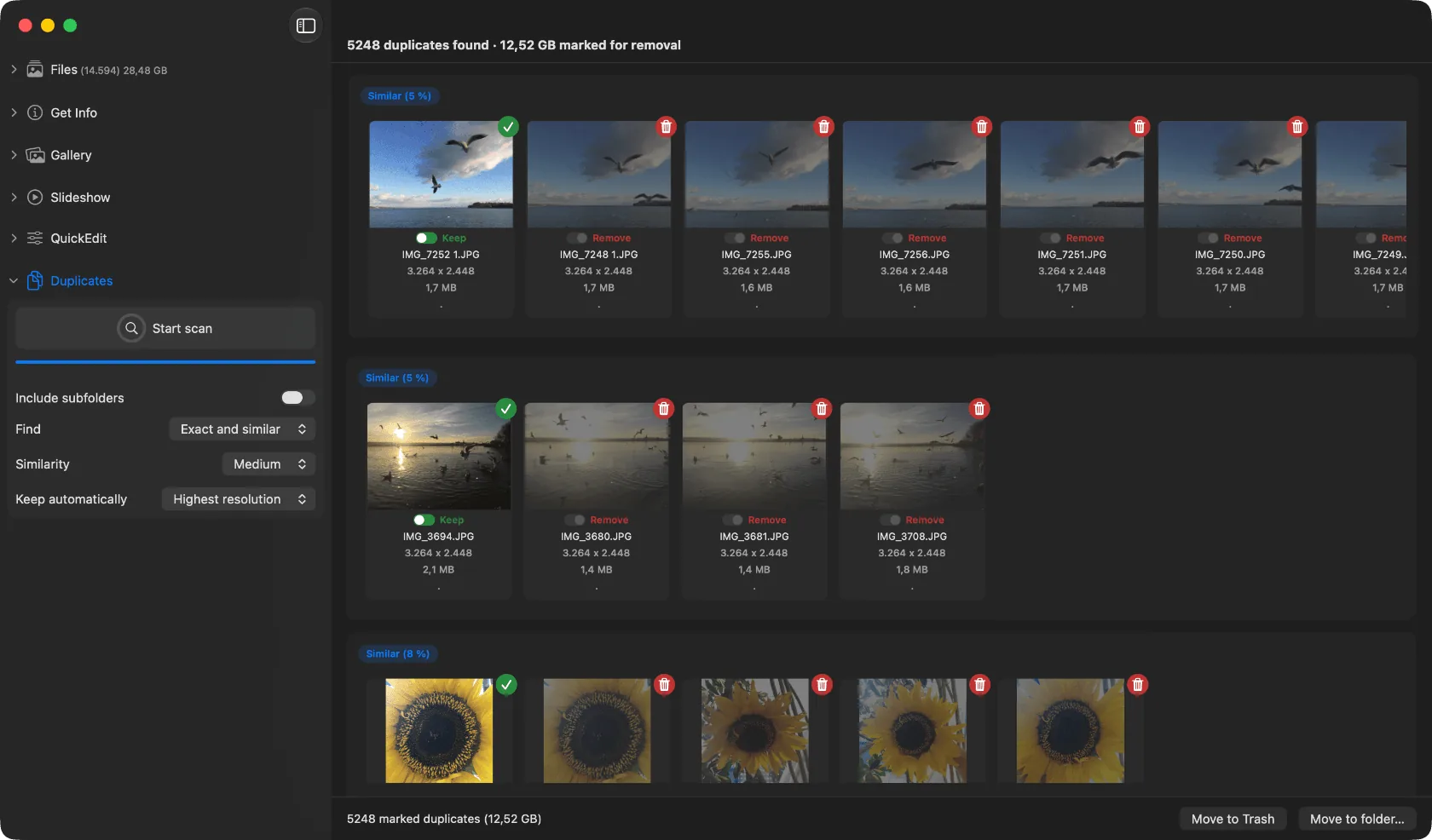
Duplicate scan and review inside Phiewer 7 on macOS.
Cloud sync, phone backups, screenshots, WhatsApp downloads. Photo libraries on Mac quietly grow copies of the same shot in different folders, with different names, sometimes in different resolutions. Cleaning that up used to mean buying a separate specialized app just for duplicates, often at twice the price of Phiewer PRO.
Phiewer 7 puts the whole workflow inside the photo viewer you already use.
How it works
A new sidebar section runs the scan across any folder you point it at. Phiewer groups exact copies and visually similar images into candidate sets. You review each group side by side, pick the version to keep, and delete the rest in one click. The result cache stays on disk, so subsequent scans are incremental and fast.
- •Exact duplicates by content hash, not by filename.
- •Visually similar photos via Apple Vision framework.
- •Side-by-side compare, quick keep-or-delete decisions.
- •Persistent cache. Rescans only look at what changed.
Why integrated beats a separate app
A dedicated duplicate app makes you launch a second tool, wait for its own library scan, learn its own UI. Phiewer 7 skips all of that. You are already browsing your photos in Phiewer. The duplicate scan is one sidebar click away, uses the same folder access you already granted, and drops you back into the normal viewer once you are done.
Under the hood
Detection combines perceptual hashing for quick exact matches with Apple Vision FeaturePrints for visual similarity. Both run natively on Apple Silicon, no cloud upload, no external service. Your photos stay on your Mac.
Part of Phiewer PRO
The duplicate finder is included in Phiewer PRO starting with version 7 (releases August 2026). One-time purchase, no subscription. If you already own PRO, you get it automatically with the update.
The short version is also available as an update note on the blog.