
Showcases: Collect Images Across All Your Folders
Your own albums from images in any folder and on any drive. Nothing gets copied, nothing gets moved.
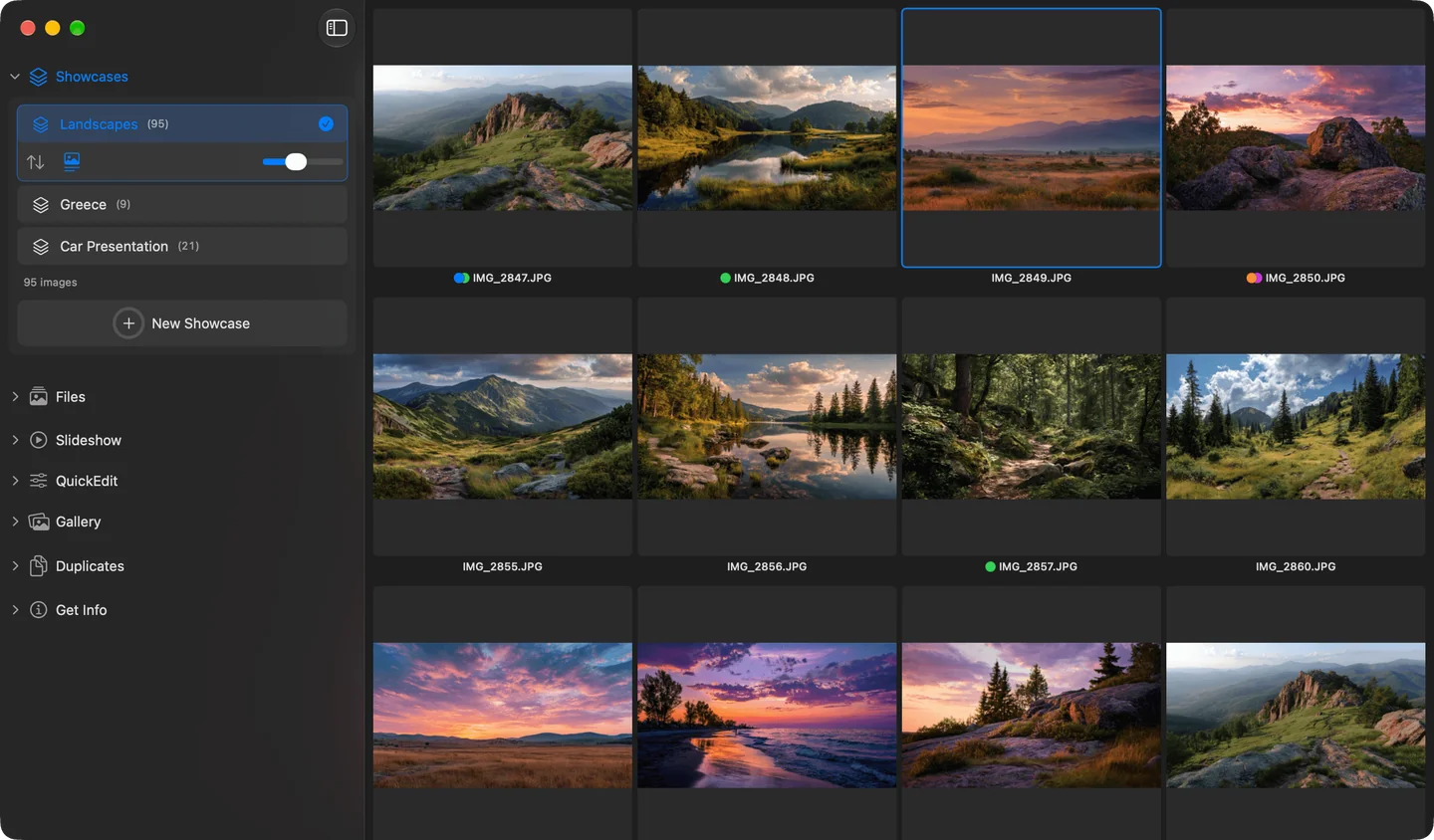
A Showcase in Phiewer 8 on macOS
Folders are great for storing, but bad for combining. An image always lives in just one folder. If you want your best shots from several years, several cameras or the external drive in one place, you have to copy them, and then you have them twice.
A Showcase only remembers which images belong to it. One image can be in as many Showcases as you like without taking up any extra space on your disk.
What Showcases are good for
- •Portfolio. Your best images from all years and folders in one collection.
- •Picks for a photo book or a client. Collect first, then set the order with drag and drop.
- •Slideshow for a family party. Images from different phones and cameras, played as one slideshow.
- •Moodboard. Reference images for a project, no matter where they are stored.
How it works
- •Click “New Showcase” in the sidebar and give it a name.
- •Add images with a right-click, ⇧⌘A or drag and drop. Drag and drop works inside Phiewer and straight from Finder, too.
- •Set the order with drag and drop, or sort automatically.
- •Save a search, for example for a tag, as a Showcase with one click.
Full screen, slideshow, compare view, gallery views, QuickEdit and tags work in a Showcase just like in a regular folder.
Your files stay untouched
Deleting in a Showcase only removes the entry, never the file. If you move or rename an image in Finder, Phiewer finds it again. Images on a drive that isn't connected right now are shown grayed out and come back as soon as you plug it in.
Frequently asked questions
Can one image be in several Showcases?
Yes. A Showcase only stores a reference to the file. So the same image can be in as many Showcases as you like and still exists only once on your disk.
What happens if I move or rename a file in Finder?
Nothing bad. Phiewer finds the file again and keeps showing it in the Showcase. Only if a file was deleted or sits on a drive that isn't connected right now does it appear grayed out. The entry stays, though.
Does it work with RAW files and external drives?
Yes. Anything Phiewer can open can go into a Showcase, including RAW files and videos. The images can be on any drive, external drives included.
How is this different from albums in the Photos app?
An album in the Photos app only works with images that were imported into the library first. A Showcase points directly to your files in your folders. Nothing gets imported or copied, and your folder structure stays the way it is.
Are Showcases included in the free version?
No, Showcases are part of Phiewer PRO, a one-time purchase with no subscription. The free version (lite) includes the full image viewer, but not Showcases.
Part of Phiewer PRO
Showcases are included in Phiewer PRO from version 8. One-time purchase, no subscription. If you already have PRO, you get them with the update. The free version (lite) includes the full image viewer, but not Showcases.
All the details are in the blog: Photo albums without the Photos app.