
 Phiewer Select
Photo Culling for Mac, rethought
A standalone app for fast photo culling – built for photographers who have little time but lots of images after a shoot.
Phiewer Select – Photo Culling app for macOS
After every shoot, the same task is waiting: filter the few really good frames out of hundreds or thousands of images. This step – called "culling" – is often the most time-consuming part of the entire photo workflow. Until now, only a handful of Mac tools focused exclusively on this job. With Phiewer Select, that changes.
Phiewer Select is a new, standalone macOS app that does one thing extremely well: quickly cull and rate large sets of images. No library, no import, no subscription. Buy once, use forever.
Why a dedicated Photo Culling app?
Classic photo apps like Lightroom or Capture One are powerful – but they are primarily built for editing. For pure sifting and rating they often feel sluggish: long imports, catalog management, preview generation, slow navigation. With a wedding or event shoot of 2,000 images, this quickly turns into half a day of work.
Photo culling does not need a full image management system. It needs fast display, clear keyboard shortcuts and a workflow that stays out of the way. That is exactly where Phiewer Select comes in.
How Phiewer Select works
You open a folder of photos – Phiewer Select shows the first image in fullscreen. With one keystroke you make your decision and jump straight to the next image. Four simple actions are all you need:
- •Keep (K or →) – keep the image
- •Reject (R or ←) – discard the image
- •Favorite (F or ↑) – mark as favorite
- •Skip (S or ↓) – decide later
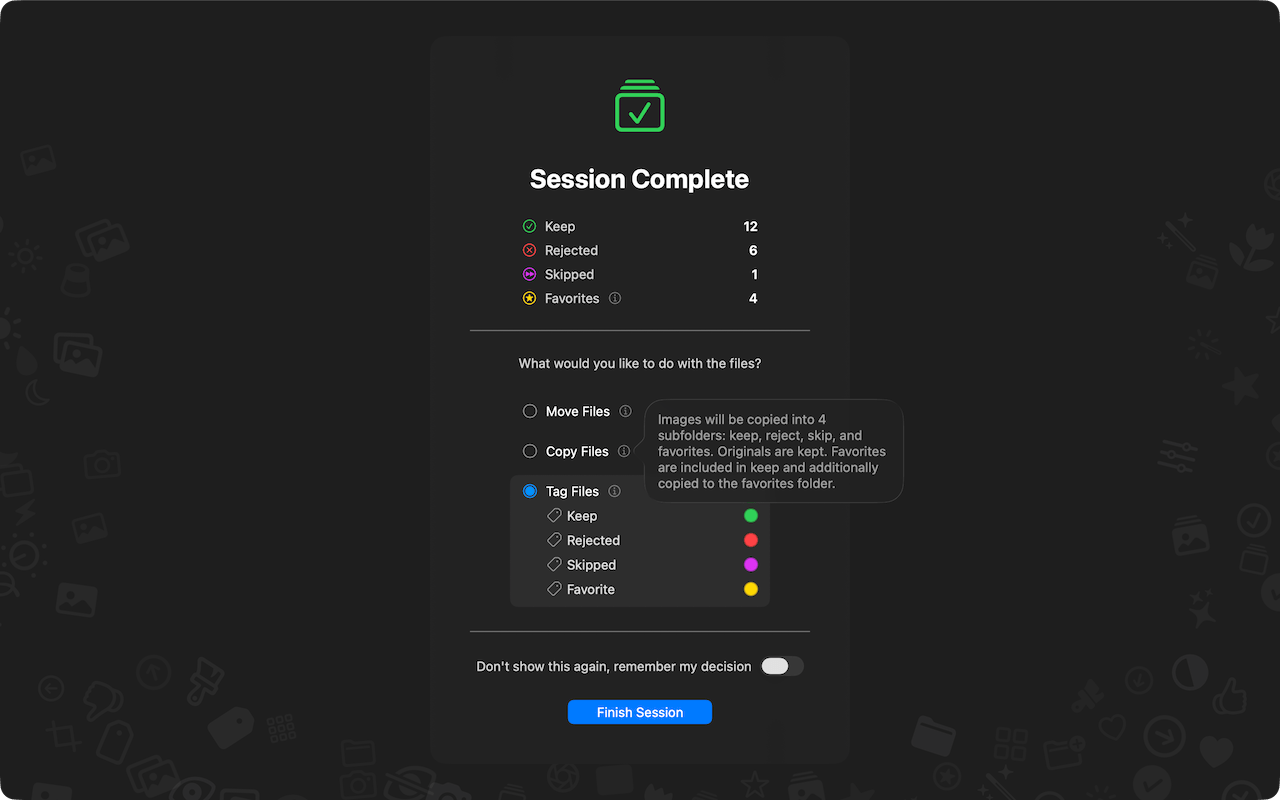
No confirmation dialogs, no clicks, no mouse movement. You move linearly through your folder and make a decision per image in a fraction of a second. At the end of the session you decide whether the selected images should be copied, moved or marked with macOS tags.
What makes Phiewer Select special
Phiewer Select was built from the ground up for speed and focus. The most important features at a glance:
- •Full RAW support: CR2, CR3, NEF, ARW, DNG, RAF, ORF and more than 30 other RAW formats are displayed natively – without slow preview generation.
- •Compare view: Place two or more images side by side to find the sharper or better-exposed shot.
- •Zoom Lock: When switching between images, the zoom region stays in place – perfect for checking eyes, sharpness or details across a series.
- •Smart preloading: The next image is already in memory before you need it. Even with large RAW files there is no waiting.
- •macOS tags instead of a database: Your selection is marked using native macOS tags or copied directly into target folders. No proprietary database, no lock-in.
- •Works directly with the file system: No import, no library. You work directly with the folder where your images live.
Who is Phiewer Select for?
Phiewer Select is the right app for everyone who regularly has to sift through large sets of images:
- •Wedding and event photographers reducing hundreds to thousands of images after a shoot
- •Sports and reportage photographers picking the best frames out of bursts
- •Portrait and studio photographers comparing sharpness and expression across many similar shots
- •Hobby photographers who want to quickly secure the highlights from a trip or holiday
A perfect match with Phiewer PRO
Phiewer Select is designed as a standalone app, but it pairs perfectly with Phiewer PRO. While Phiewer PRO is the fast image viewer and media browser for the daily Mac workflow, Phiewer Select takes care of the focused culling step right after the shoot.
The typical workflow: cull with Phiewer Select – browse, compare and organize with Phiewer PRO. Both apps work directly with the file system and require no import.
No subscription. Buy once. Use forever.
Phiewer Select is a one-time purchase on the Mac App Store – no subscription, no forced cloud, no hidden costs. Your data stays on your Mac.
Try it now
Phiewer Select is available now on the Mac App Store. You can find more information, screenshots and workflow details on the Phiewer Select product page.