
Move iPhone photos to your Mac, the easy way without cloud and without the Photos Library
Photo RollOff is our new standalone app for macOS. It transfers your photos and videos as real files into a folder you pick and gives your iPhone its storage back.
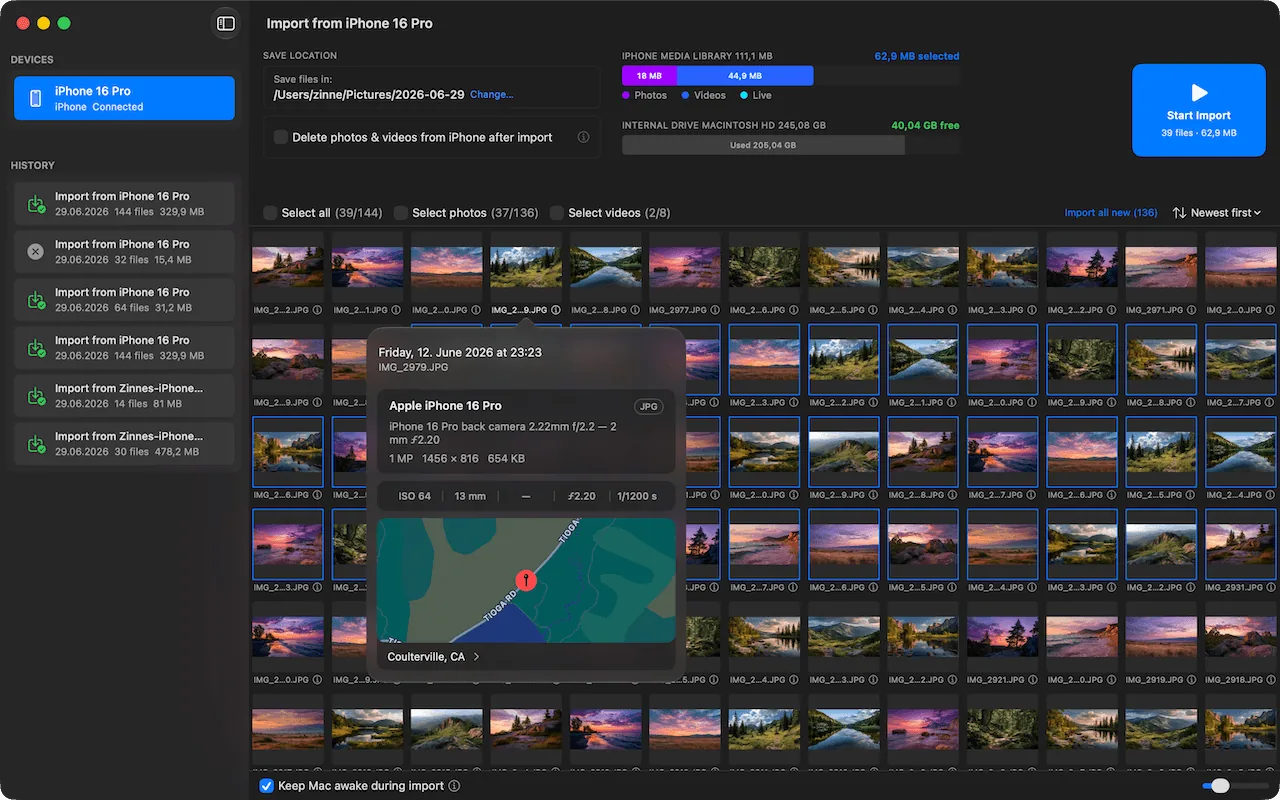
Photo RollOff moves iPhone photos and videos to your Mac as real files.
Your iPhone tells you for the third time this week that storage is full. The obvious fix is called iCloud+, but it costs money every month and only postpones the problem, because your photos then live on rented servers instead of on your own drive. The second option is the Photos app on the Mac. It imports reliably, but it locks your images into a library you cannot reach without a detour.
That is exactly why Photo RollOff exists now. A new standalone Mac app that does one job properly: move photos and videos from your iPhone to your Mac, as real files, into a folder you pick. No iCloud, no account, no subscription.
Why the detour through cloud and library is annoying
The Photos app stores your images in a file called Photos Library. What looks like a folder in the Finder is really a package with a database inside. Anyone who wants their shots back has to export them, and during the export the app decides what happens to originals, Live Photos and metadata. A backup always covers the entire library, never individual folders.
The route through iCloud is even less pleasant. Your photos travel to servers you do not control, you pay for them every month, and when the subscription ends, the convenient access ends with it. For many photographers and Mac users that is the wrong direction. They want their images as files, on their own drive, in a folder structure they define themselves.
How Photo RollOff works
From a full iPhone to free storage in four steps:
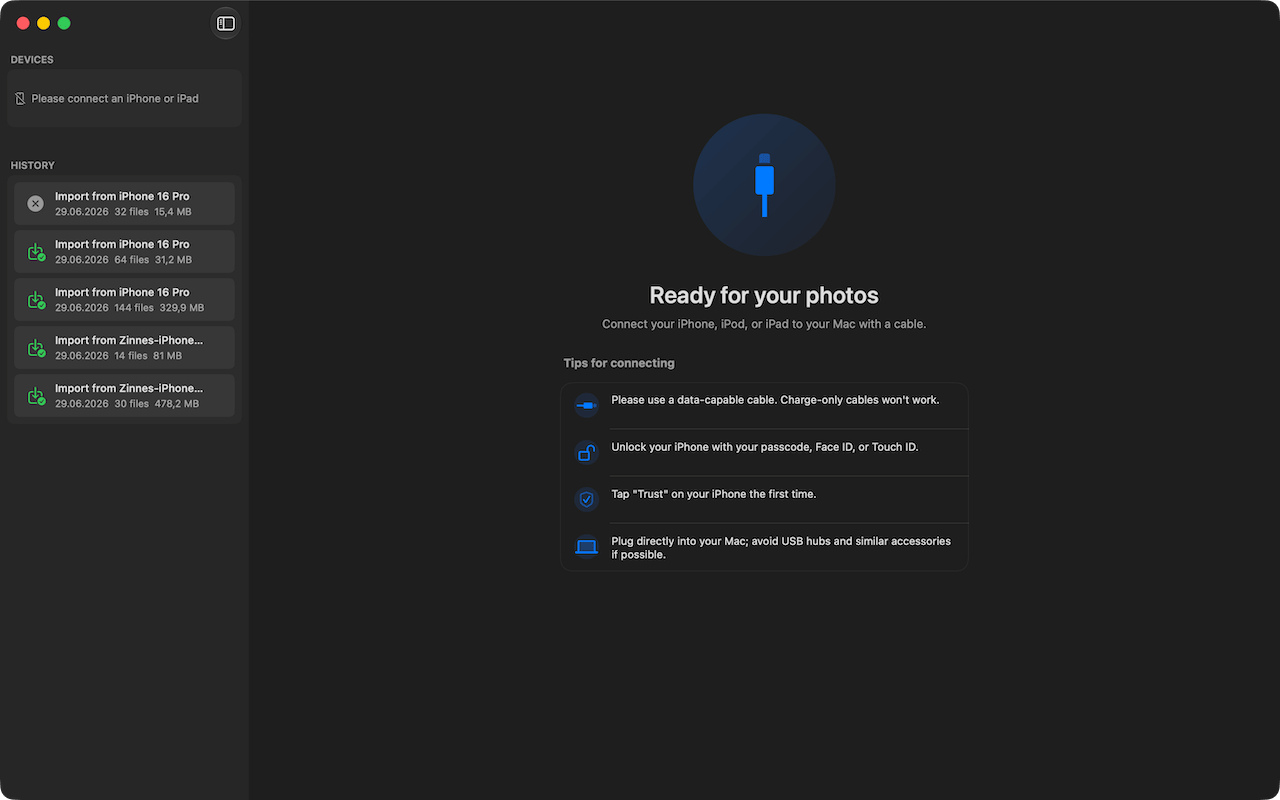
- •1. Connect. Plug the iPhone into your Mac via USB. Photo RollOff detects the device automatically, iPads and iPods just the same.
- •2. Pick a target folder. Internal drive, external SSD or NAS. You decide where the originals go.
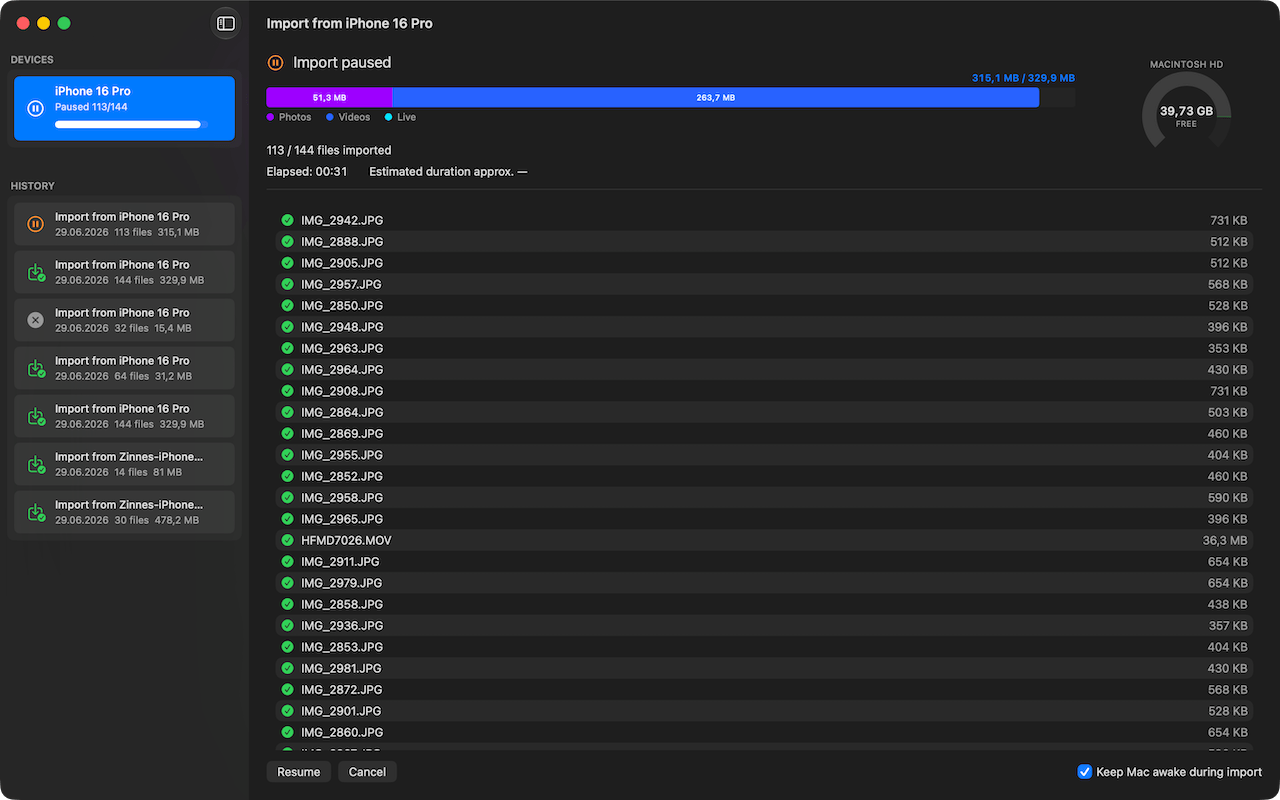
- •3. Start the import. Every file is transferred in its original form, with a live indicator and statistics.
- •4. Clean up the iPhone. Optionally the imported files are deleted from the iPhone afterwards, but only after a verified transfer.
No import into a database, no preview generation, no waiting for a sync. What was on the iPhone before is a file on your Mac afterwards.
What makes Photo RollOff special
Photo RollOff was built for a single purpose and makes that one step as comfortable as possible:
- •Real files instead of a closed library: originals on your disk, in a folder of your choice. Open them with any app, back them up to any drive.
- •Live storage indicator: during the import you see in real time how much space is left on the iPhone and on the target drive, broken down by file type.
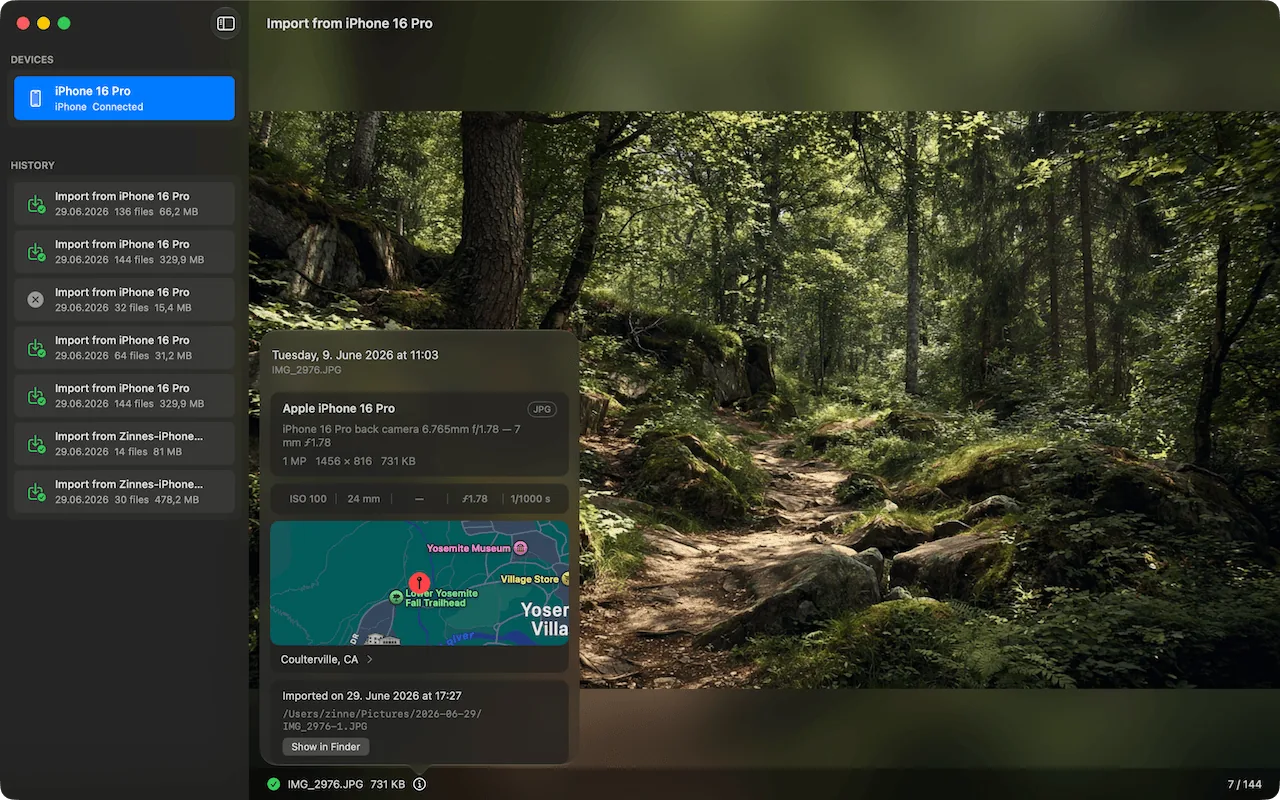
- •Preview before the import: photos and videos can be viewed right inside the app before you decide what gets transferred.
- •Metadata fully preserved: capture location, original capture time, camera model and all other technical data are carried over.
- •Screenshots detected: screenshots and screen recordings get their own category and never mix in with your photos.
- •Daily subfolders: on request Photo RollOff sorts every file into a folder per capture day. A clean structure from the very first import.
- •Several devices at once: iPhones, iPads and iPods are detected in parallel. Each device gets its own entry in the sidebar.
- •Pause, resume, cancel: long transfers can be paused at any time and continued later.
- •Your Mac stays awake: during the import Photo RollOff blocks sleep mode. No more aborted sessions because the Mac dozed off.
- •Fully local: no upload, no sign in, no library. Your photos never leave your Mac.
Get your storage back without the nervous feeling
Deleting on the iPhone is the part where most people hesitate, and rightly so. Photo RollOff solves this with one clear rule: only what has provably arrived on the Mac may be deleted. The app verifies every transferred file, and only then can the matching items be removed from the iPhone. Manually confirmed or automatic, you decide.
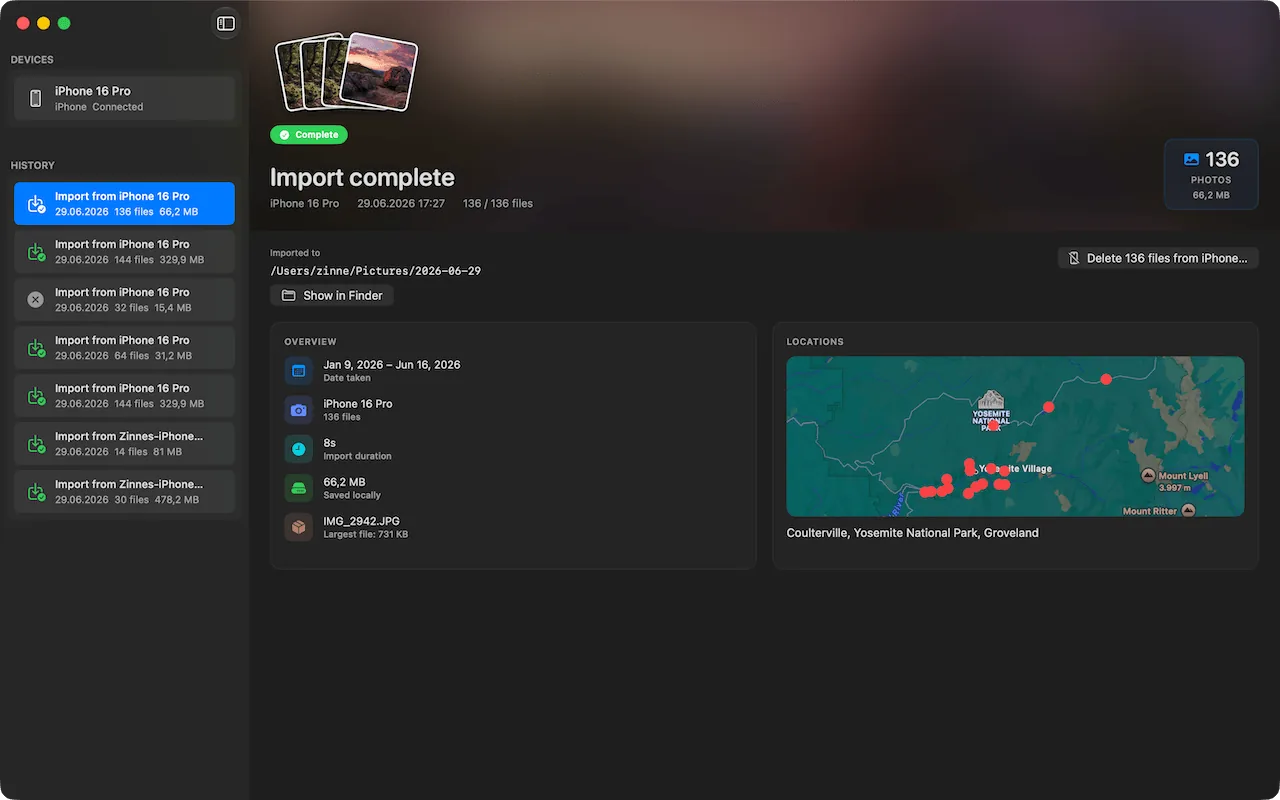
After the import the archive summarises every session: number of files, size, the period the shots were taken in, transfer duration and the capture locations on a map. Even months later you can still see what went where and when.
The complete photo workflow without cloud, subscription and library
Photo RollOff closes a gap. Until now our apps covered what happens after the import. The first step is covered as well now, and the chain is complete:
- •Photo RollOff brings photos and videos from the iPhone to the Mac as real files.
- •Phiewer Select culls the shoot with single key presses: keep, reject, favorite.
- •Phiewer PRO shows, compares, edits and organises your images, including the duplicate finder.
All three apps work directly with the file system. No import into a database, no cloud upload, no subscription. Your photos stay files in folders that you name, move and back up yourself. Exactly the way it was normal before the library era.
Who is Photo RollOff for?
The app is for everyone who prefers to manage their own shots:
- •Everyone whose iPhone fills up regularly and who does not want a monthly iCloud subscription for it.
- •Photographers who file iPhone shots in the same folder system as the images from their camera.
- •Users with an external SSD or NAS who deliberately keep their originals off the Mac.
- •Families and heavy shooters with several iPhones and iPads that need emptying regularly.
Frequently asked questions
Do I need iCloud to move photos from iPhone to Mac?
No. Photo RollOff transfers directly over the USB cable. No account is needed, nothing is uploaded, and the app works without an internet connection.
Are capture location and capture date preserved?
Yes. Files are transferred in their original form. Capture location, original capture time, camera model and all other EXIF data stay untouched.
Are my photos deleted from the iPhone automatically?
Only if you want that. Deleting is optional and is unlocked only after Photo RollOff has verified that the files arrived safely on the Mac.
What are the system requirements for Photo RollOff?
Photo RollOff runs on any Mac with macOS 14 Sonoma or newer. Add an iPhone, iPad or iPod and a data capable USB cable, that is all it takes.
No subscription. No account. No cloud.
Photo RollOff is a one time purchase on the Mac App Store. The app works entirely locally on your Mac, there is no upload, no sign in and no library. Pay once, use forever.
Try it now
 Photo RollOff
Photo RollOff is available on the Mac App Store now and requires macOS 14 Sonoma or newer. All features, screenshots and details are on photorolloff.com.