
The Best Image Viewers for Mac in 2026
8 apps compared: what they cost, whether they handle RAW and who they are for.
Updated: October 2026
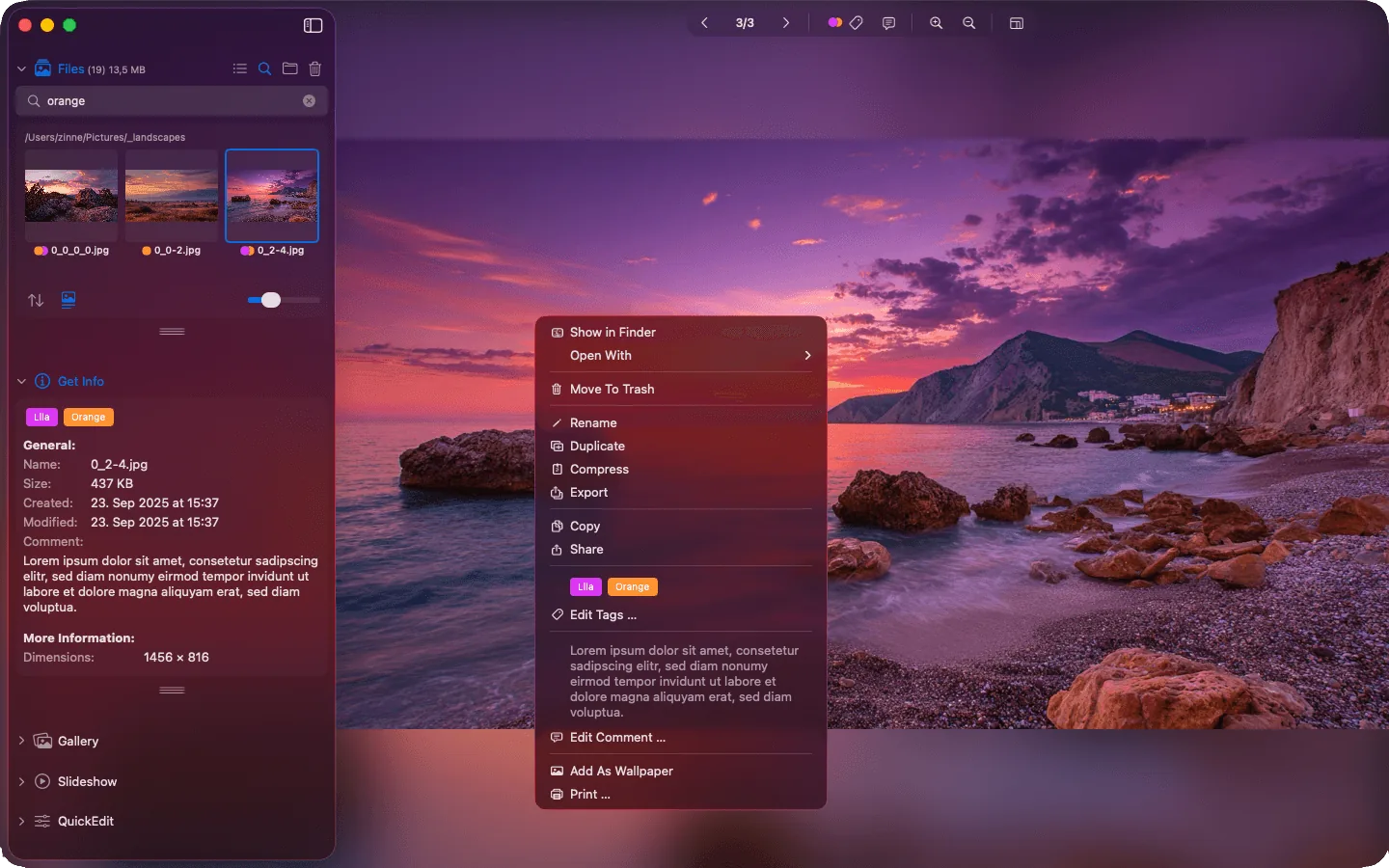
A good image viewer shows you a whole folder at a glance.
You just want to look at your pictures. Open a folder, click through with the arrow keys, keep the good ones, delete the rest. With Preview and Photos that is surprisingly tedious. That is why there are dedicated image viewers for the Mac, and there are more of them than you might think.
We compared eight apps, from free to pro tools. To be upfront: Phiewer is our own app. We still describe the others fairly, because not every app suits everyone.
All apps at a glance
| App | Price | RAW | Folder browsing | Best for |
|---|---|---|---|---|
| Phiewer | lite free, PRO $7.99 one-time | Yes, around 40 formats | Yes, including all subfolders | Going through large folders fast and sorting out |
| Preview | Free, on every Mac | Yes | Only to a limited extent | A quick look at single images and PDFs |
| Photos | Free, on every Mac | Yes | No, only through the library | iPhone photos and iCloud |
| Pixea | Free, Plus $19.99 one-time or $14.99 per year | Yes, common formats | Yes | Viewing images and editing them in depth right away |
| XnView MP | Free for personal use, €29 for businesses | Yes | Yes | Exotic formats and batch processing |
| ApolloOne | Free trial, license $35.99 (Standard), $59.99 (Pro) or $99.99 (Max), or a subscription from $14.99 per year | Yes | Yes | Professional photographers who do a lot of metadata work |
| Lyn | $29.99 from the developer, 15-day free trial | Yes | Yes | Browsing photos with location data |
| qView | Free, open source | Yes | Yes, with the arrow keys | Minimalists |
US prices from the Mac App Store or the developer, as of October 5, 2026.
1. Phiewer
Phiewer works directly with your folders. No import, no library. You open a folder and immediately see every image, video and audio file in it. Even folders with tens of thousands of photos stay smooth. On top of that you get side-by-side comparison, crop guides, simple editing and, since version 7, duplicate detection.
- Strong: Very fast even with huge folders, images, RAW, video and audio in one app, no subscription
- Weaker: No keyword database like a catalog, no RAW development like Lightroom
2. Preview
Preview is already there and perfectly fine for a single image. Folders are where it gets difficult: Preview only shows the files you selected beforehand and slows down noticeably with many large images. Why that gets annoying day to day is explained in this article.
- Strong: Costs nothing, opens almost any format, handles PDFs too
- Weaker: No real folder browsing, slow with many images
3. Photos
Apple’s Photos app is a library, not an image viewer. Pictures have to be imported first and then live in one big database instead of your folders. For iPhone photos with iCloud that is convenient. If you keep your pictures in your own folder structure, it quickly feels confining.
- Strong: Good search and face recognition, syncs with the iPhone
- Weaker: Import required, no folders, one big library file
4. Pixea
Pixea was a very minimal image viewer for a long time. Today it is a media browser for folders, the Photos library and ZIP archives, plus an extensive editor with masks, object removal and upscaling. Many of these features require Pixea Plus, as a subscription or a one-time purchase.
- Strong: Modern interface, strong editing, also opens archives and the Photos library
- Weaker: Many features only with Pixea Plus, focused more on editing than on sorting out quickly
5. XnView MP
XnView MP is available for Windows, Mac and Linux. It reads more than 500 formats and can do a lot, from renaming to batch conversion. The trade-off: it looks and feels like a Windows program and suits people who enjoy going through settings.
- Strong: Huge format list, lots of features, free for personal use
- Weaker: Feels foreign on the Mac, many menus and settings
6. ApolloOne
ApolloOne is aimed at photographers and is now more of an asset manager without a database than a pure viewer. Version 5 adds tabs, stacks for bursts, a sharpness score for every image and AI ratings. The app comes in three editions, and the biggest new features are in the most expensive one, the Max Edition.
- Strong: Very fast, many pro features for metadata and selection
- Weaker: Considerably more expensive, three editions plus subscriptions make the pricing confusing
7. Lyn
Lyn is a lean image browser with a folder sidebar, a map for geotags and simple editing. It is sold directly by the developer, not on the Mac App Store.
- Strong: Classic image browser, geotags on a map
- Weaker: Not on the Mac App Store, paid after the trial
8. qView
qView shows one image and nothing else. The arrow keys take you to the next image in the folder, and it opens RAW files too. That is all there is, and for some people that is exactly right.
- Strong: Free, tiny, no distractions
- Weaker: No folder overview, no editing
Which image viewer is right for you?
- • You only look at a picture now and then: Preview is enough.
- • Your photos come from the iPhone and live in iCloud: Photos.
- • You have large folders, RAW files included, and want to review, compare and sort out quickly: Phiewer.
- • You need exotic formats or batch conversion: XnView MP.
- • You want to pay nothing and just look at pictures: qView. If you want to edit in depth right away, have a look at Pixea.
Frequently asked questions
Is there a good free image viewer for Mac?
Yes. Phiewer (lite), Pixea and qView are free, and XnView MP is free for personal use. Phiewer (lite) also shows RAW files and entire folders.
Can I view RAW files on a Mac without Lightroom?
Yes. Preview and Photos show many RAW formats. For going through whole folders quickly, though, image viewers like Phiewer, ApolloOne or XnView MP are far more pleasant. More in the article How to view RAW files on a Mac.
Is there FastStone or IrfanView for Mac?
No, both are Windows only. Which Mac apps work in a similar way is covered in the article FastStone and IrfanView for Mac.
Conclusion
There is no single best image viewer for everyone. But if you regularly go through whole folders, shoot RAW and do not want a library, give Phiewer a try. The lite version is free, PRO costs $7.99 once, with no subscription.