
FastStone and IrfanView for Mac
Both are Windows only. Here is how to get the same fast workflow on a Mac.
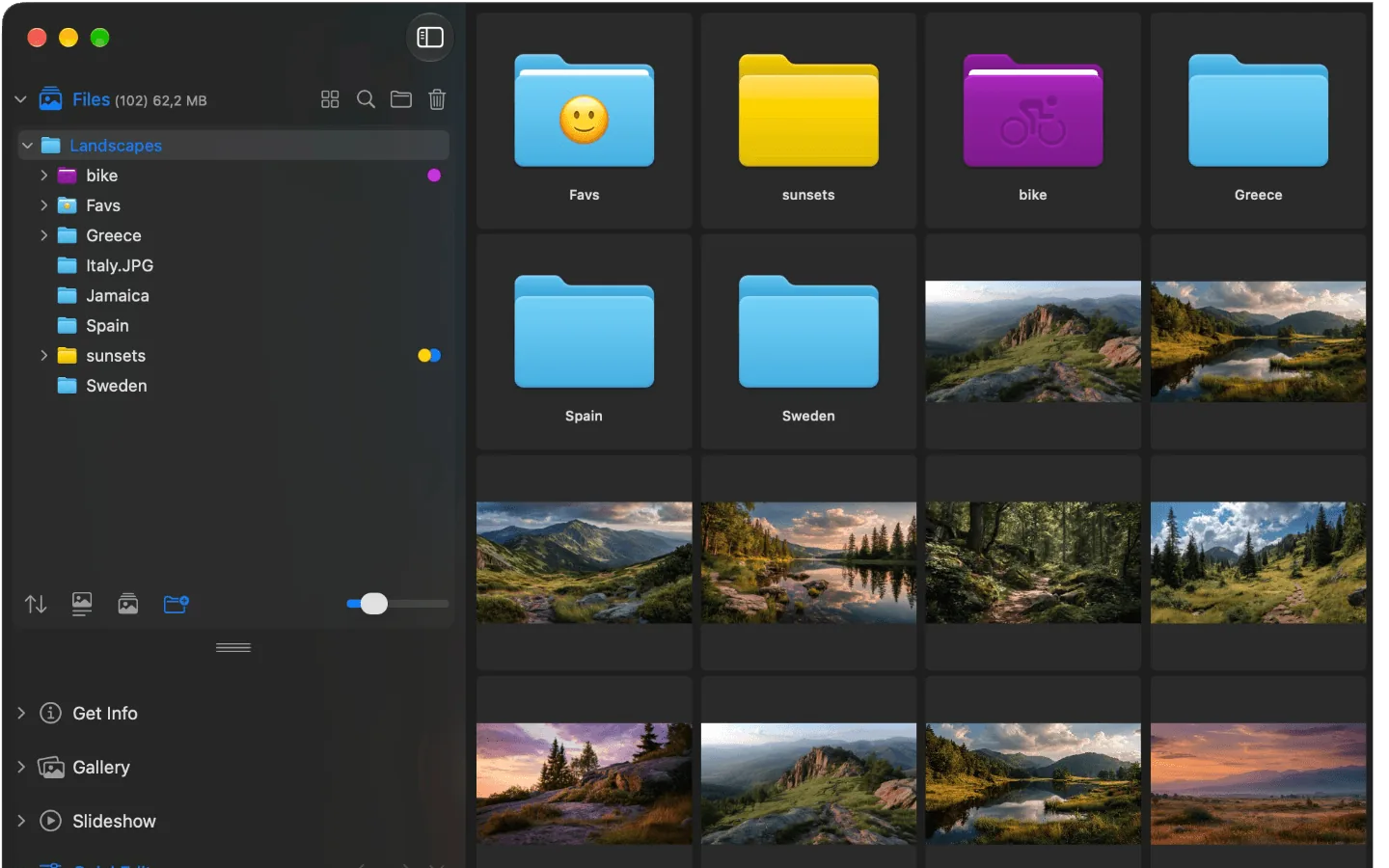
Folders on the left, images on the right, click through with the arrow keys. Just like you know it from Windows.
You switched from Windows to a Mac and miss one thing in particular: open an image, go through the folder with the arrow keys, delete the bad shots with a single key. With FastStone or IrfanView that took seconds.
On the Mac you try it with Preview and soon notice: Preview does not page through the folder, only through the images you selected beforehand. And Photos wants to import everything first.
Is there FastStone or IrfanView for Mac?
No. Both programs are Windows only. You can run them through Windows compatibility tools like CrossOver, but that is clumsy and never feels right. You are better off with an image viewer built for the Mac that works the same way.
Your habits in Phiewer
| What you know from Windows | In Phiewer |
|---|---|
| Go through the folder with the arrow keys | Exactly the same, with the arrow keys |
| Delete with the Del key | ⌫ moves the image to the Trash |
| Folder tree and thumbnails | Folder view and gallery |
| Full screen | Full screen and theater mode |
| Rotate images | Rotate in QuickEdit, with ⌥ to the left as well (PRO) |
| Batch convert and resize | Multi-export and batch compression (PRO) |
| View EXIF data | File info with EXIF |
| Custom keyboard shortcuts | Every shortcut can be reassigned (PRO) |
Other alternatives
XnView MP comes closest to the Windows programs: it is available for Windows and Mac, reads more than 500 formats and does a lot of batch processing. In return it looks like a Windows program on the Mac as well. ApolloOne is fast and good with EXIF data, but considerably more expensive. All apps at a glance are in the comparison of the best image viewers for Mac.
Try it for free
The free version (lite) includes the full image viewer, but not multi-export, batch compression, editing and rotating, custom shortcuts and side-by-side comparison. Phiewer PRO is a one-time purchase of $7.99, no subscription.