
Phiewer 8 Is Here
Your own albums from any folder, drag and drop like in Finder and lots of small improvements.
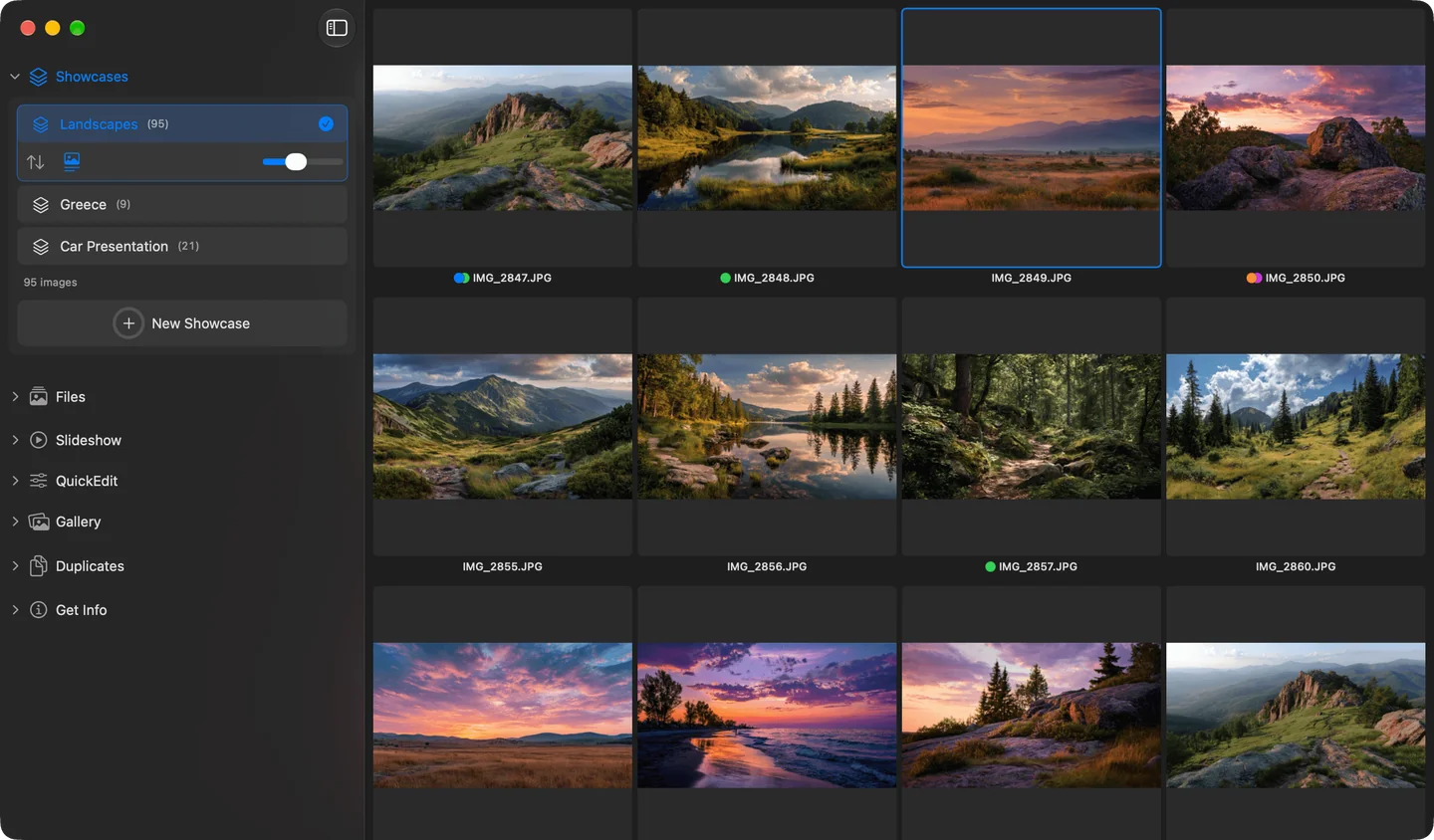
Showcases in Phiewer 8
Phiewer 8 is available now as a free update on the Mac App Store. Here's an overview of what's new.
Showcases
Showcases are your own albums with images from any folder and drive. Nothing gets copied or moved, and a search can be saved as a Showcase with one click. All the details: Photo albums without the Photos app.
Drag and drop like in Finder
Dragging, copying and moving files now works exactly like in Finder, with ⌥ to copy, spring-loading and ⌘Z. More on this: Sort photos into folders with drag and drop.
More improvements
- • Every folder remembers its own sorting, plus there's a default sorting you can choose.
- • With “Random”, the slideshow shuffles all images from all subfolders together. More on this.
- • Arrow up and down jump one row up or down in every grid.
- • Cropping and straightening in QuickEdit now work together properly.
- • Find Duplicates has its own entry in the main menu.
- • Open and save dialogs remember their size.
- • Individually opened files are monitored: renaming, moving and deleting in Finder show up in Phiewer right away.
- • On macOS 26 and 27, menus show a checkmark next to the active option again.
Bug fixes
- • PNGs with transparency display correctly in QuickEdit.
- • Tags can be applied to the whole selection, and different upper and lower case no longer causes lost tags.
- • File names in the folder view show up reliably again.
- • QuickEdit changes are visible in full screen right away.
Update now
Phiewer 8 is a free update for all Phiewer users on the Mac App Store. The free version (lite) includes the full image viewer, but not Showcases.